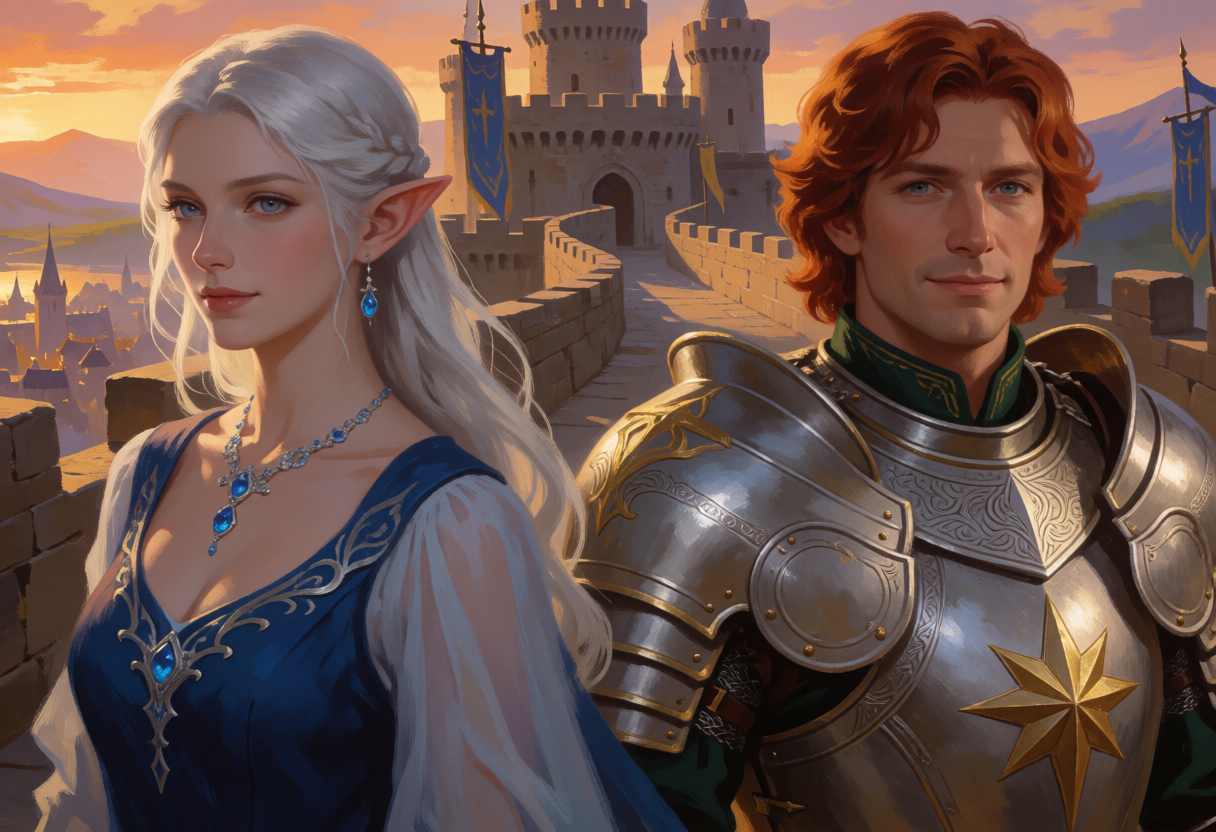
Last week’s post ended with an honest limitation: I could give each of my D&D heroes a perfect, persistent likeness, but I could not put them in the same picture. Load one character’s adapter and everyone in the frame becomes her. Load both and you get a blend – Jonathan’s armor with Lyra’s hair on a person who is neither. This is the short follow-up where that problem gets solved, with a trick so low-tech it’s almost embarrassing.
Scissors and glue
The solution starts with something a five-year-old would propose: render each character alone, then paste the two pictures side by side.
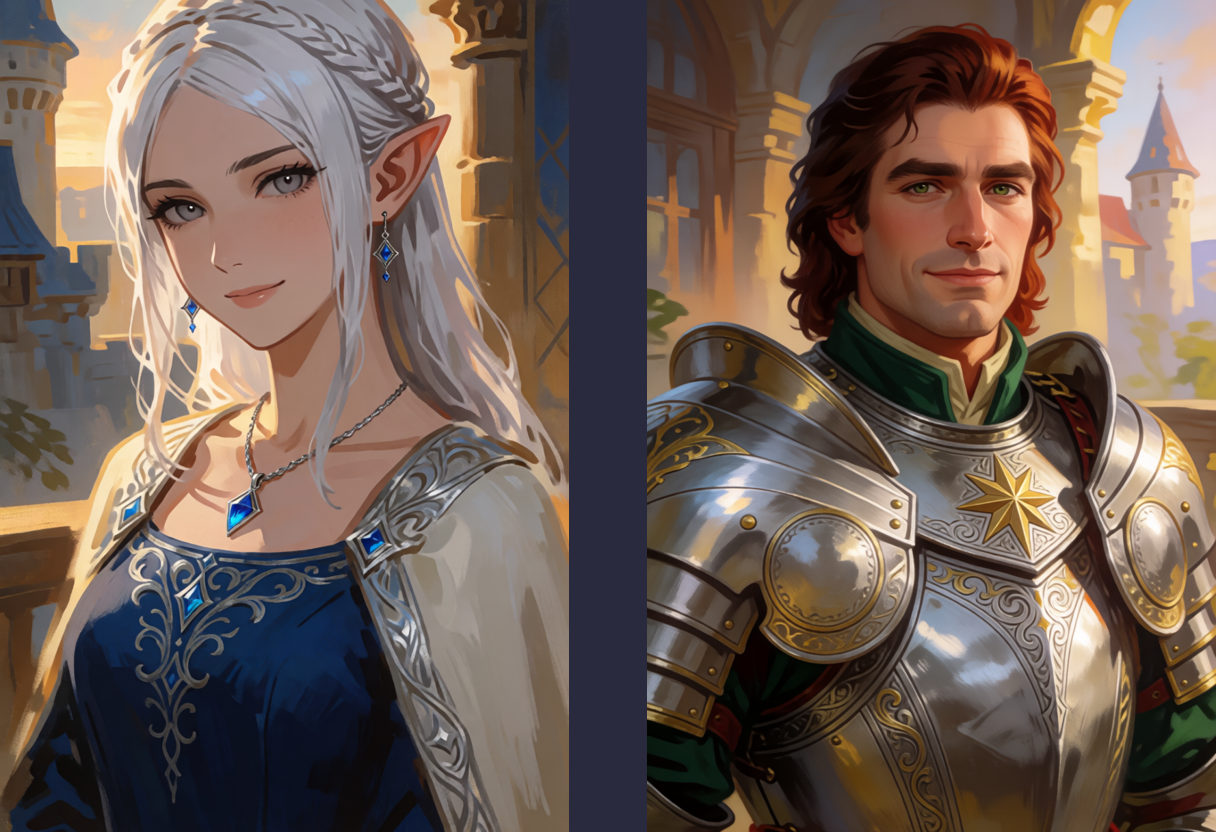
The input. Yes, really. Note the seam – two different paintings sharing a file.
The paste goes in as a reference image for one more generation pass. The idea: identities no longer need adapters at all, because they’re already sitting there in the pixels. The final pass just needs to repaint the collage into one scene without changing who the people are – strong enough to dissolve the seam, gentle enough to leave the faces alone.
Finding that balance used to be my job. Now a planner does it: attach the paste, type “merge these two portraits into one painting of them on a castle rampart at sunset”, and a vision model (GPT-5.6 through Bedrock, in my setup) looks at the actual image and writes the real prompt – about 250 words of it, naming everything worth preserving, down to details I would have forgotten:
…Preserve the elven woman’s long silver-white hair, pointed ear, blue gemstone earrings and necklace, deep blue dress, pale flowing sleeves, and ornate silver filigree details. Preserve the human paladin’s wavy auburn hair, polished silver plate armor with gold edging, prominent gold star emblem on the breastplate… avoid the original split-panel layout, avoid duplicated characters…
It also picks the repaint strength. My hand-tuned attempts had established that 0.5 leaves the seam visible and 0.65 works but drifts the costume details; the planner’s richer prompt let it succeed at 0.55 and keep the silver filigree my manual run had lost. A better description buys a lighter touch.
The plot twist
Then I rendered the winning recipe at full resolution, and the seam came back.
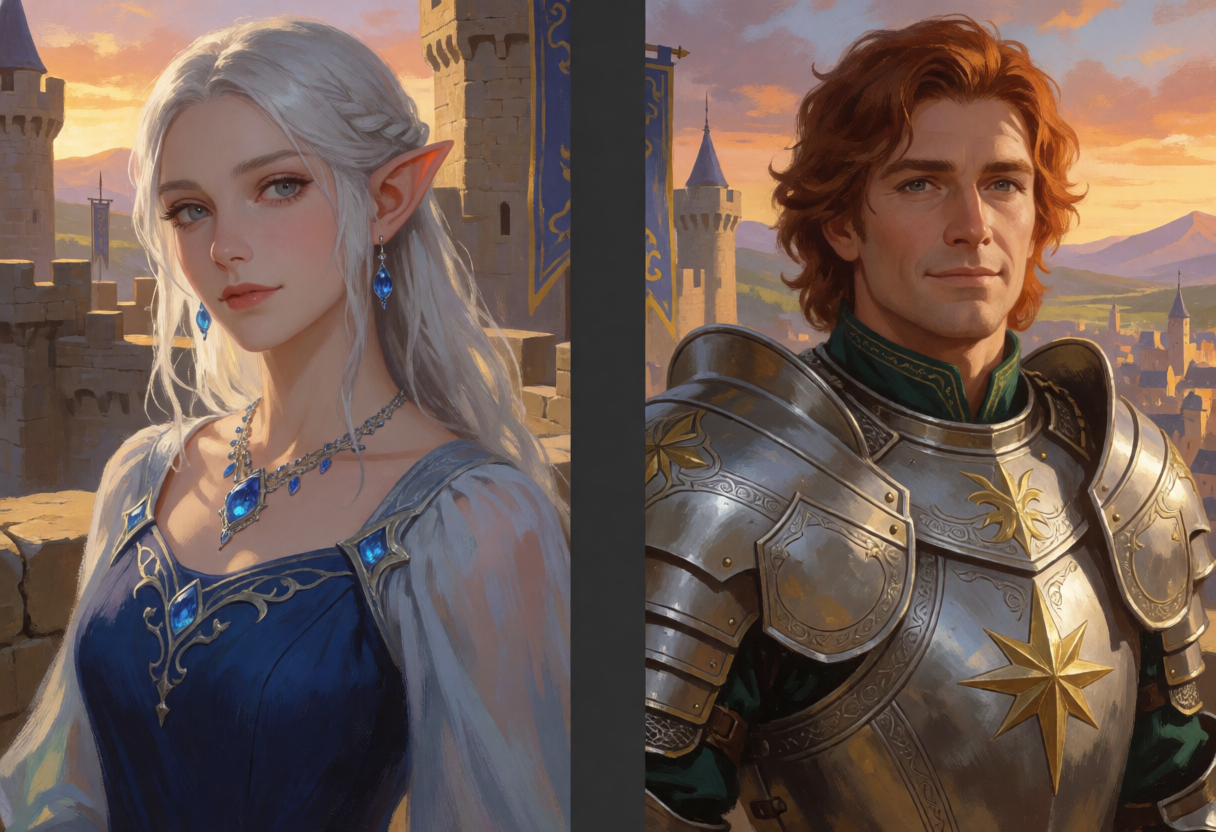
Same prompt, same strength, same reference – four times the pixels, and the collage survived the repaint.
Same everything, different output size. It turns out repaint strength is resolution-dependent: at higher resolution the process preserves finer structure from the source, and the seam is structure. A setting tuned at draft size quietly stops working at print size. Nobody’s strength slider tells you this.
The fix is a two-stage render. Dissolve the seam at draft resolution first, where the repaint bites hardest. Then use that unified image as the reference for the full-resolution pass, at a strength so gentle it only adds detail – there’s no seam left to preserve.

Draft unify, then refine. One rampart, one sky, two people who are exactly themselves.
The studio got a front desk
The other thing that happened since last week: the pipeline grew a face. What started as shell commands and an S3 queue is now a small local web page that starts and stops the GPU, queues renders, keeps prompt history, and knows the tricks above so I don’t have to.
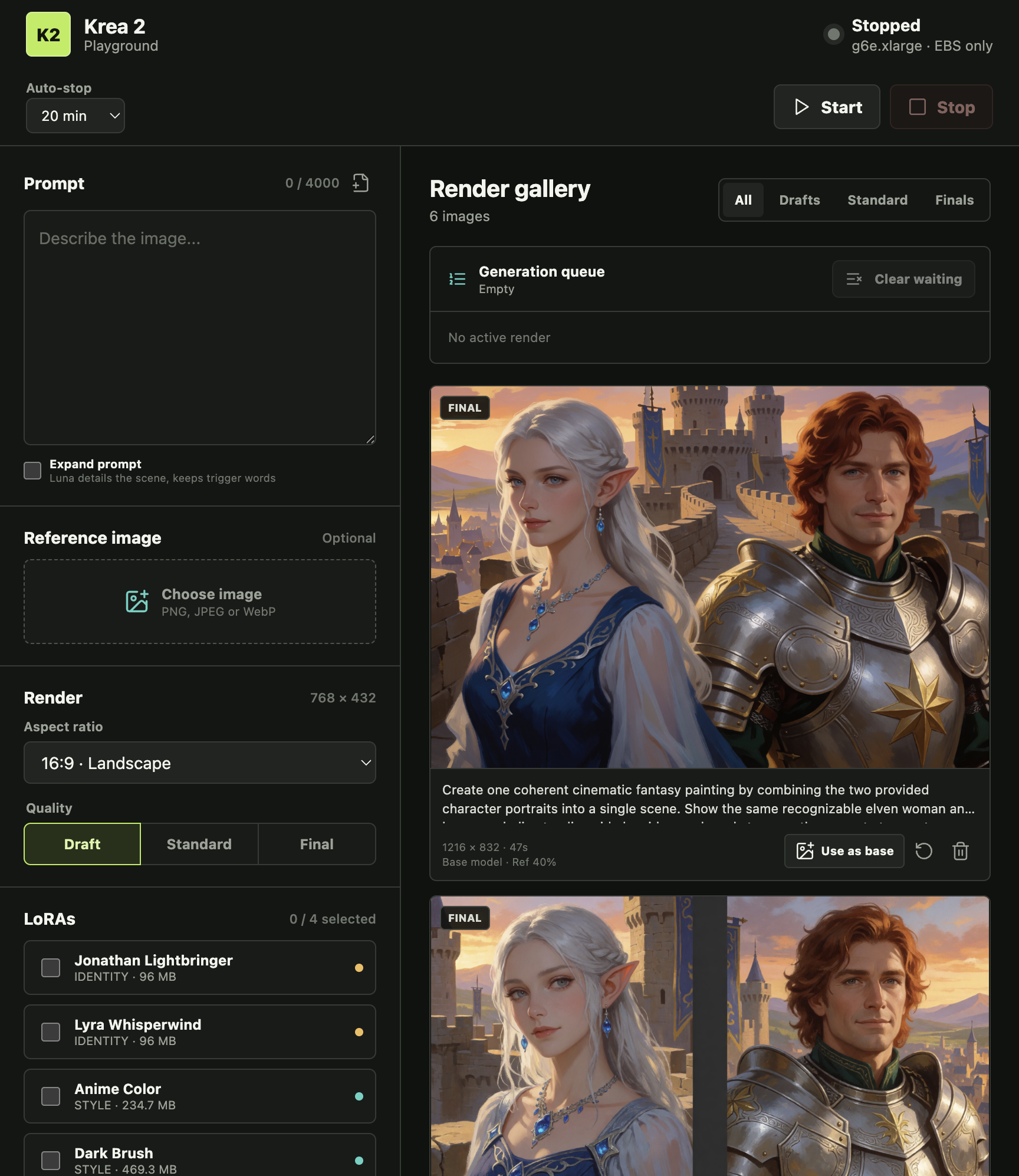
The playground. The GPU is stopped in this screenshot – the page exists precisely so that pressing Start is a deliberate, billed decision.
The nice part is that the lessons are encoded, not remembered. The merge trick runs automatically as a chained two-stage job when the planner detects that intent at high quality. Strength gets its resolution correction applied by policy. Selecting two identity adapters shows a warning that tells you to use the paste trick instead. Each of those started as a burned evening; now they’re defaults. And in a pleasing turn, most of that encoding was done by the same agent fleet that plays my D&D campaign – I described the behaviors, tests and all, and reviewed the diffs over coffee.
The heroes are in the same picture, the machine remembers how it’s done, and the next experiment – teaching the studio my blog’s own visual style as a named adapter – has a proper workbench waiting for it.
This continues My images finally look like mine; the heroes belong to the agent-team D&D world. Find me on LinkedIn or Bluesky.